

How to Create a Menu QR Code That Gets Customers Ordering in Seconds

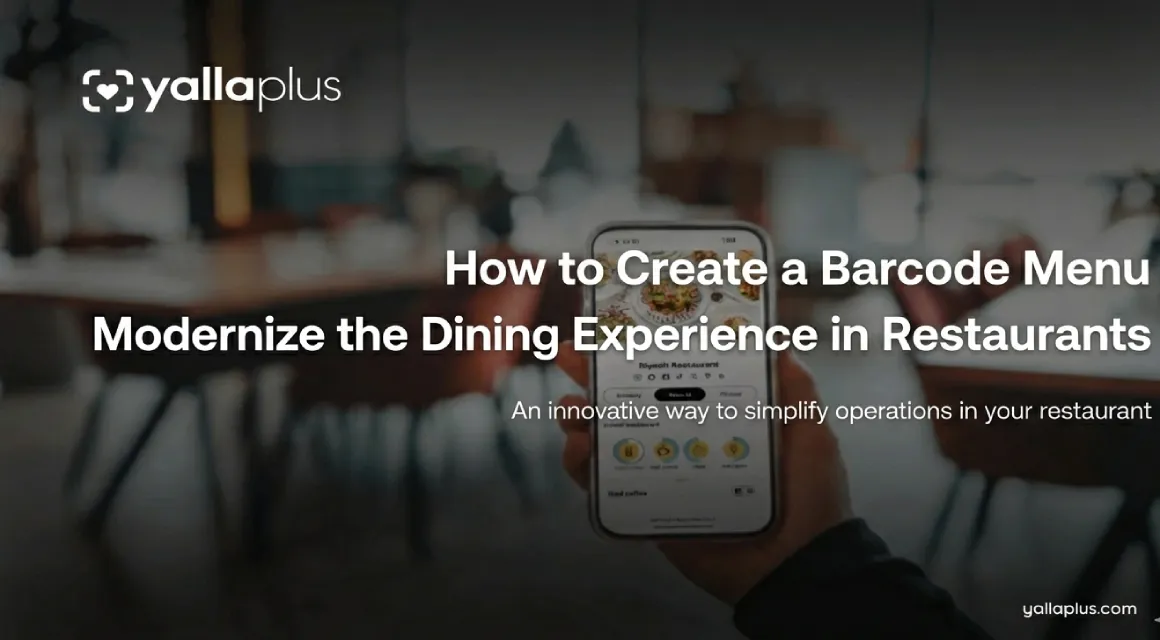
Still using paper menus? You’re missing out.
Your customers already have their phones in hand. They're scrolling, comparing, and ready to order. Are you making it easy for them?
If you want to create a menu QR code that works and boosts sales, you're in the right place yalla plus team will show you how it is the best online menu builder service. Let’s skip the tech speak and get to what matters for your restaurant.
Why Every Restaurant Needs a Menu QR Code (Like, Yesterday)
Change can be tough. You might have used paper menus for years. But here’s the downside:
Your competitors are winning over your customers. They have digital menus that update in real-time. When they sell out of a popular dish, it disappears instantly. When they want to highlight a special? It’s front and center.
Meanwhile, you’re crossing off items with a Sharpie. Not a great look.
What Happens When You Create a Menu QR Code?
Think of it as your menu on steroids. Customers scan, browse, and order without needing a waiter. Your staff can focus on what matters: great service and upselling desserts.
Real numbers from restaurants using Yalla Plus:
- 35% faster table turnover
- 28% increase in average order value
- Zero printing costs (ever again)
- Orders go straight to the kitchen—no mix-ups.
Sounds good? Let’s get you set up.
Step 1: Create a Menu QR Code within a 30-minute timeframe (Yes, really)
You don’t need to be tech-savvy. You don’t need a developer. With Yalla Plus, you can create a menu QR code while sipping your morning coffee.
Here’s the game plan:
Sign up and get your restaurant profile ready (in five minutes).
- Go to Yalla Plus and create your account.
- Add your restaurant name, logo, and brand colors.
- That’s it—you're halfway done.
Upload your menu items (15 minutes).
- Type in your dishes (or snap photos if you're short on time)
- Add prices, descriptions, and mouthwatering photos.
- Pro tip: High-quality food photos can boost orders by 23%.
Generate your QR code (30 seconds).
- Click "Generate QR Code"
- Download it
- Print or share—done.
Test it before you launch (5 minutes).
- Scan your own code.
- Order something
- Make sure everything looks perfect.
See? Fast and easy.
Step 2: Make Your Digital Menu Work for You
Anyone can create a menu QR code. But if you want it to drive sales, be strategic.
Design That Works
Your digital menu isn’t a copy of your paper menu. It’s a sales tool.
Here’s what works:
- Stunning photos of your bestsellers should be a top priority.
- Descriptions that make people hungry (not ingredient lists).
- Strategic placement of high-margin items at the top.
- Marketers highlight limited-time offers to get attention.
Speed Matters
If your menu takes more than 2 seconds to load, people will leave. Yalla Plus optimizes its menus for instant loading, even on slow Wi-Fi.
Step 3: Place your QR codes where customers can see them.
You’ve got your QR code. Now, where do you put it?
The obvious spots:
- Table tents (on every table)
- Your entrance (so people can browse while waiting)
- Bathroom mirrors (weird but effective—they're bored and scrolling)
The sneaky spots that work:
- Instagram bio link
- Google Business Profile
- Email signatures
- Delivery packaging
Pro move: Create different QR codes for different locations. This way, you can track what works.
Why Yalla Plus Makes This Easy
You have a restaurant to run. You don’t have time for complicated tech.
That’s why we built Yalla Plus to be simple.
What Makes Us Different:
Real-time updates: Run out of ribeye? Remove it from the menu in 10 seconds. No reprinting. Update and you're done.
It looks great. Restaurant pros, not techies, design our templates.
Customers can order and pay with Yalla Plus; it’s not a menu viewer. Customers can order and pay on their phones. Your staff can breathe.
Works with your existing system. Already using a POS? Yalla Plus integrates with most major platforms. There's no need to change anything.
Responsive support. Got a question at 8 PM on a Friday? We’re here. Real humans, based in the region.
The Money Part: How Digital Menus Pay for Themselves
Let’s talk ROI because that’s what matters.
You Save Money Immediately:
No more printing costs! Most restaurants spend $2,000 to $5,000 each year on menu printing. That’s gone. Forever.
Fewer order mistakes. Manual entry leads to errors. Mistakes cost money. Digital orders go straight to the kitchen, reducing errors by 87%.
Smaller staff during slow hours. When customers can order themselves, you need fewer servers during off-peak times.
You Make More Money:
Higher average order value digital menus with upsells ("Add fries for $3?") increase ticket size by 28% like yalla plus digital menu. That’s not a typo.
Faster table turnover. Quick ordering means faster service, allowing you to serve more customers.
Data you can use: see what's selling and what's not. Adjust your menu to promote high-margin items.
Common Questions
"What if customers don't have smartphones?" In 2025, 97% of diners have smartphones. For the 3% who don’t, keep a few paper menus handy.
"Can I update prices without difficulty?" Yes. Update once on Yalla Plus, and it changes everywhere in real-time.
"What about older customers?" QR codes are everywhere now. If someone struggles, your staff can show them how to use them.
"Is it secure for payments?" Not possible to remove the adverb. Yalla Plus uses bank-level encryption. Your customers’ data is safe.
"Can I customize it to match my brand?" 100%. Colors, fonts, layout, and photos—make it look exactly like your restaurant.
Real Talk: What Your Competitors Are Doing
While you read this, local restaurants are using digital menus as a part from their restaurant mangement system. They're:
- Getting more orders.
- Spending less on operations.
- Collecting customer data
- Looking modern and professional.
You can either join them or fall behind. Harsh? . True? Definitely.
Ready to create a menu QR code and leave paper menus behind?
Here’s your action plan:
- Sign up for Yalla Plus (it takes 2 minutes).
- Upload your menu (it takes 20 minutes).
- Generate and print your QR codes (take 5 minutes).
- Watch orders roll in.
Special offer for new restaurants: Get your first month free when you sign up this week. You don't need a credit card to start. Cancel anytime (but you won’t want to).
Still Unsure?
Let’s make this easy: Try it for free. Set up your digital menu, generate your QR code, and test it out. If you don’t see results in 30 days, we’ll refund you.
What do you have to lose? (Besides printing costs, order errors, and slow table turnover.)
Quick Start Checklist
- ✅ Sign up for Yalla Plus
- ✅ Add your logo and brand colors.
- ✅ Upload 5 to 10 popular dishes.
- ✅ Include high-quality photos.
- ✅ Set your pricing
- ✅ Create your first QR code
- ✅ Print and place on three tables (test group)
- ✅ Track orders for one week
- ✅ Launch in the whole restaurant
.png)




.webp)

